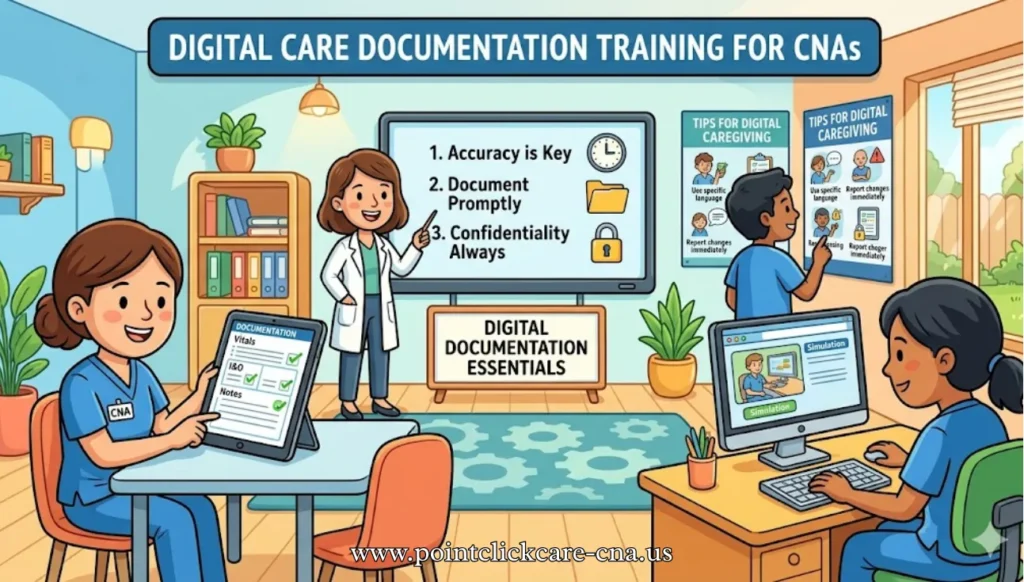
Digital documentation training matters for CNAs because it helps staff record care faster, reduce mistakes, and support safer communication across the care team. It also strengthens compliance with documentation standards, privacy rules, and facility workflows, which are essential parts of modern care delivery.
Why It Matters
Digital charting is now a core part of care in many settings, and CNA documentation is no longer just about writing notes; it is about entering timely, structured information that other clinicians can use immediately.
Training helps CNAs learn the specific fields, clicks, and shortcuts in their system so they spend less time navigating screens and more time supporting patients.
Good documentation also improves continuity of care because observations like intake, output, vitals, skin checks, and ADLs are captured in a consistent format.
In practice, that means fewer missed details, fewer corrections, and stronger handoffs.
Easy Tutorials
The best tutorials for CNAs are step-by-step and tied to the exact platform used in the facility, such as PointClickCare-style flow sheets, electronic MAR systems, or resident-care portals.
A useful training set usually includes screenshots, short videos, and downloadable checklists so learners can see each action, repeat it, and then practice it independently.
AHRQ training materials also show that staff training works better when content is modular and can be adapted for the audience’s role and workflow. For CNA learning, that means one guide for charting vitals, one for ADLs, one for late entries, and one for incident escalation.
A strong tutorial library should include:
- Login and navigation walkthroughs.
- How to enter ADLs, vitals, intake/output, and behavior notes.
- How to correct errors without deleting required records.
- How to save, submit, and verify that charting was completed.
- How to use approved abbreviations and avoid vague language.
Quick-Start Guides
Busy CNAs usually need “5-minute tips” instead of long courses, especially on shift changes or during high workload periods.
Quick-start guides should be printable, laminated, and focused on the most common tasks, such as documenting immediately after care, checking required fields, and verifying the right resident before entering notes.
These guides work best when they are built around real workflow moments, not general theory. A short cheat sheet can prevent delayed charting, omitted details, and common privacy mistakes.
Good quick-start content includes:
- “Before you chart” checklist.
- Common abbreviations allowed by the facility.
- What to document after toileting, bathing, feeding, and repositioning.
- How to handle late entries and corrections.
- What to do if the system freezes or times out.
Troubleshooting FAQs
Troubleshooting sections should answer the problems CNAs actually face, like slow logins, missing dropdown options, duplicate notes, or uncertainty about where a task belongs.
Since documentation errors can become legal and compliance issues, troubleshooting should include both technical fixes and documentation best practices.
HIPAA-focused guidance is especially important because CNAs regularly handle protected health information and must keep access and sharing limited to approved purposes.
A good FAQ section should also explain when to escalate to a charge nurse, IT support, or the educator team.
Common troubleshooting topics:
- Password reset and lockout.
- Stuck or unsaved chart entries.
- Wrong resident selected.
- Missing signature or time stamp.
- How to report a suspected privacy issue.
Also visit: Reset Password
Compliance and CE
Training should align with professional documentation expectations, privacy rules, and facility policies so CNAs know not only how to chart, but why specific practices matter.
Official HIPAA guidance explains that patient information must be handled carefully, with attention to consent, privacy, and minimum necessary access.
Continuing education requirements vary by state, but many CNA renewal systems require approved hours and documented training, so training providers should clearly state whether a course is state-recognized.
When choosing resources, look for content that is practice-based and compliance-aware rather than purely generic.
For official or authoritative references, these are useful starting points:
- HIPAA Privacy Rule information from CDC.
- Nursing documentation principles from ANA.
- CNA-related continuing education and renewal guidance by state.
- +1Documentation and informatics resources used in nursing education and training.
Curated Library
A good resource library should mix free and paid materials so CNAs and trainers can choose based on budget and urgency. Free options include AHRQ training modules, CNA skills lists, educator toolkit materials, and webinar-style videos that demonstrate workflow concepts. Paid options can be useful when a facility wants structured CE credit, HIPAA-specific content, or a documentation course with assessments and certificates. The best paid resources are those that are current, practical, and tied to workplace use rather than broad theory.
Recommended categories:
- Free courses and webinars, especially onboarding and refreshers.
- Downloadable checklists and skills lists.
- Documentation and legal aspects courses for CE credit.
- Platform-specific manuals or internal facility SOPs.
Real-World Success
Case-based learning works because CNAs remember examples better than rules. For instance, a CNA who uses a structured checklist charting method can document vitals, ADLs, and skin checks faster and with fewer missed fields than when using free-text notes alone. Simulation and practice environments also help students build confidence before they chart live, which can reduce first-month errors and improve workflow readiness. In other words, the tool is only half the solution; repeated practice makes the training stick.
A short success-story format should include:
- The CNA’s role and setting.
- The documentation problem.
- The training resource used.
- The result, such as faster charting or fewer corrections.
Additional Tools
Helpful tools include mobile-friendly note aids, approved reference checklists, and facility-supported documentation templates that sit beside the EHR workflow.
Some training platforms and AI-assisted note tools aim to reduce typing burden, but CNAs should only use tools approved by their employer and should never bypass privacy or policy requirements.
Peer communities can also help with real-world questions, especially when they are moderated by nurses, educators, or official professional groups.
The safest approach is to combine technology with policy guidance and supervisor-approved workflows.
Useful tool types:
- Timestamp and reminder apps for shift routines.
- Browser bookmarks to facility-approved help pages.
- Printable pocket guides.
- Peer forums for workflow tips, used cautiously and never for sharing PHI.
FAQs
Why is digital documentation training important for CNAs?
It helps CNAs chart faster, reduce errors, and support safer, more coordinated patient care.
What should CNA documentation always include?
Common items include vitals, intake/output, ADLs, skin observations, behaviors, and timely care notes.
How can CNAs improve charting speed?
Use checklists, learn shortcuts, document immediately after care, and practice the exact facility workflow.
What causes the most documentation mistakes?
Wrong resident selection, delayed charting, vague wording, skipped fields, and privacy mistakes are common issues.
Are screenshots and videos useful for training?
Yes, because visual step-by-step learning makes system navigation easier to understand and remember.
Do CNAs need HIPAA training?
Yes, because CNAs handle protected health information and must follow privacy and security expectations.
Can CNA documentation training count for continuing education?
It can, if the course is approved by the relevant state or accepted continuing-education provider.
What should a quick-start guide contain?
It should cover login steps, common tasks, charting timing, shortcuts, and escalation rules.
Are paid courses better than free ones?
Paid courses often offer structured CE credit and certificates, while free resources are excellent for onboarding and refreshers.
Should CNAs use AI tools for charting?
Only if the employer approves them and privacy, accuracy, and documentation rules are fully followed.
Conclusion
Digital care documentation training gives CNAs a practical way to chart accurately, protect patient privacy, and work more efficiently across busy shifts. The strongest programs combine tutorials, cheat sheets, troubleshooting help, compliance guidance, and role-based practice. When CNAs train with real workflows and approved resources, they document with more confidence, fewer errors, and better support for patient care.