What is PointClickCare and Why It’s Important
PointClickCare is one of the most widely used healthcare software systems in the United States, especially in nursing homes and skilled nursing facilities.
More than 40% of long-term care providers in the U.S. use it. For Certified Nursing Assistants (CNAs), it helps record patient care quickly and accurately—much better than paper charting.
It also helps facilities follow rules from Centers for Medicare & Medicaid Services, which require proper patient documentation.
Step-by-Step: How CNAs Use PointClickCare
1. Log In
- Open the app or go to the website on your work device
- Enter your username and password
- Use two-factor authentication (for security)
👉 Most CNAs learn this within a few days of training.
2. Understand the Dashboard
After logging in, you will see:
- Home
- Clinical
- Reports
Go to:
Clinical → POC (Point of Care)
Here you’ll find:
- Your assigned residents
- Tasks to complete
- Alerts and reminders
3. Select a Resident and Start Charting
- Search the patient by name or ID
- Open their profile
- Record:
- Vital signs
- Daily care (ADLs like bathing, feeding, etc.)
- Any condition changes
👉 Everything updates in real-time, so no duplicate work.
Care Plans and Alerts Made Easy
PointClickCare automatically creates tasks based on care plans.
Example:
- Turn patient every 2 hours
- Monitor food intake
If something doesn’t happen, you can document it like:
“Resident refused care due to pain – nurse notified”
Alerts also warn about risks like:
- Falls
- Health changes
End of Shift Reporting
Before finishing your shift:
- Add notes using SBAR format (simple reporting method)
- Send updates to nurses or supervisors
- Generate reports if needed
👉 Use messaging inside the system instead of verbal communication for safety.
HIPAA and Security (Important in the USA)
PointClickCare keeps patient data safe by:
- Encryption (secure data protection)
- Limited access (you only see your assigned patients)
- Activity tracking
It also supports U.S. laws like the HITECH Act for data security.
Benefits for CNAs in the United States
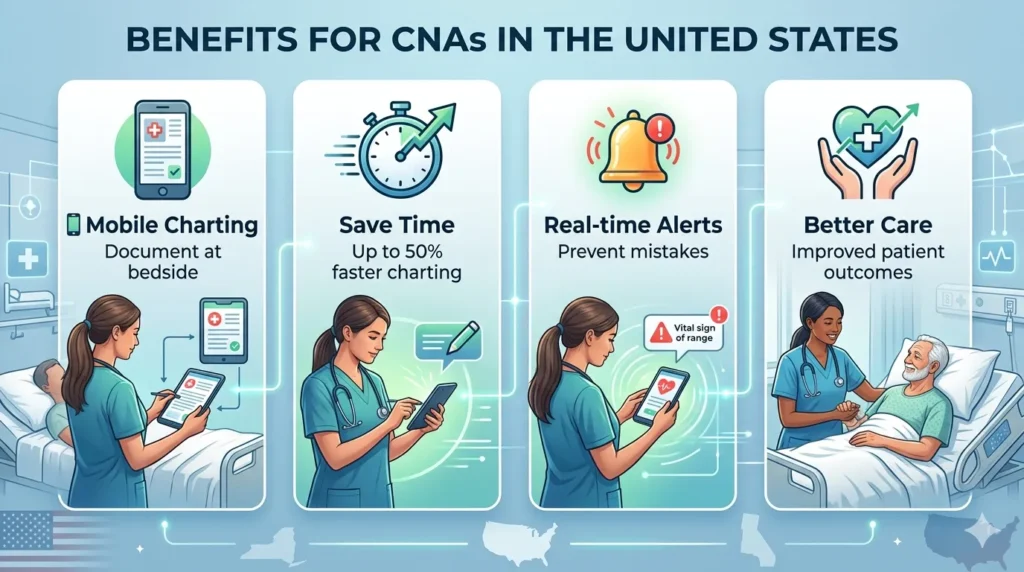
| Feature | Benefit | US Impact Fact |
|---|---|---|
| Mobile Access | Document at bedside | Cuts charting time 50%, per PointClickCare studies |
| Real-Time Alerts | Prevent errors | Reduces falls 20% in SNFs |
| EHR Integration | Seamless data flow | Supports MACRA quality reporting |
| Analytics | Trend insights | Improves outcomes, boosts reimbursements |
| Customization | Tailored templates | Fits state variances (e.g., NY MDS 3.0) |
Training Tips for New CNAs
Most U.S. facilities provide training through:
- Online modules (2–4 hours total)
- Practice with demo patients
- Annual refresher courses
👉 Tip: Practice entering vitals and ADLs to gain confidence.
Comparison with Other Systems
| Software | Best For | CNA Ease | Market Share US LTC |
|---|---|---|---|
| PointClickCare | SNFs/Nursing Homes | High (mobile POC) | 40%+ |
| Epic | Hospitals | Medium (customizable) | 30% acute care |
| Cerner | Large networks | Medium (analytics) | 20% |
| MatrixCare | Home Health | High (scheduling) | 15% |
Common Problems and Simple Fixes
- Login issue? Clear browser or contact IT
- System slow? Check WiFi
- Missing form? Ask admin to add it
👉 The system is very reliable with high uptime.
Future of CNA Documentation in the U.S.
New features like voice-to-text (coming soon) will make charting even faster.
As U.S. healthcare moves toward real-time data, learning PointClickCare now will help your career grow.